Import and export TestCases
You can bulk create or update TestCases with Excel (.xlsx) from Test design. Download a template, export a suite or selection, edit offline, then import. The project must be TMS-ready. Imported cases start as Manual.
Import checks that you can create and edit issues in the project before it writes. One spreadsheet row is one TestCase. Steps live in numbered multi-line Action / Data / Expected Result cells.
Download and export
- Open Testing tool → Test design.
- Download Excel template for a blank sheet (or use More → Export excel).
- Export to Excel for the current suite or selected cases. Suite Path on export is that suite’s path (not every membership).
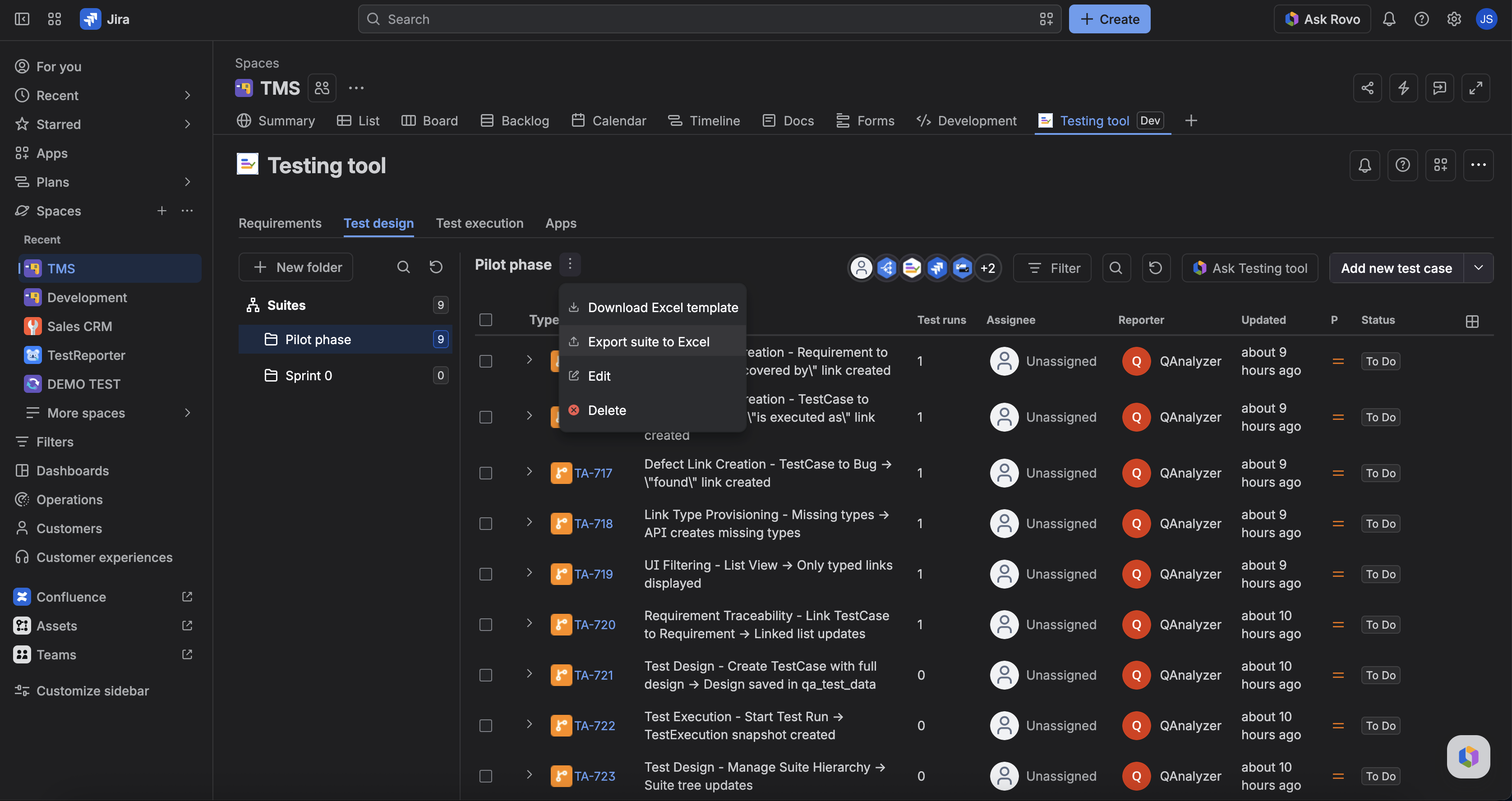
Limits: export up to 100 TestCases per request. Over the limit returns an error.
Import
- Use More (⋯) on the Testing tool toolbar → Import excel (or the Test design import action).
- Upload a valid
.xlsx. All rows are validated before any Jira write. - Matching issue key updates that TestCase; new rows create TestCases.
- After upload, watch the toolbar for background job progress, then read the per-row report (created/updated keys, warnings, errors).
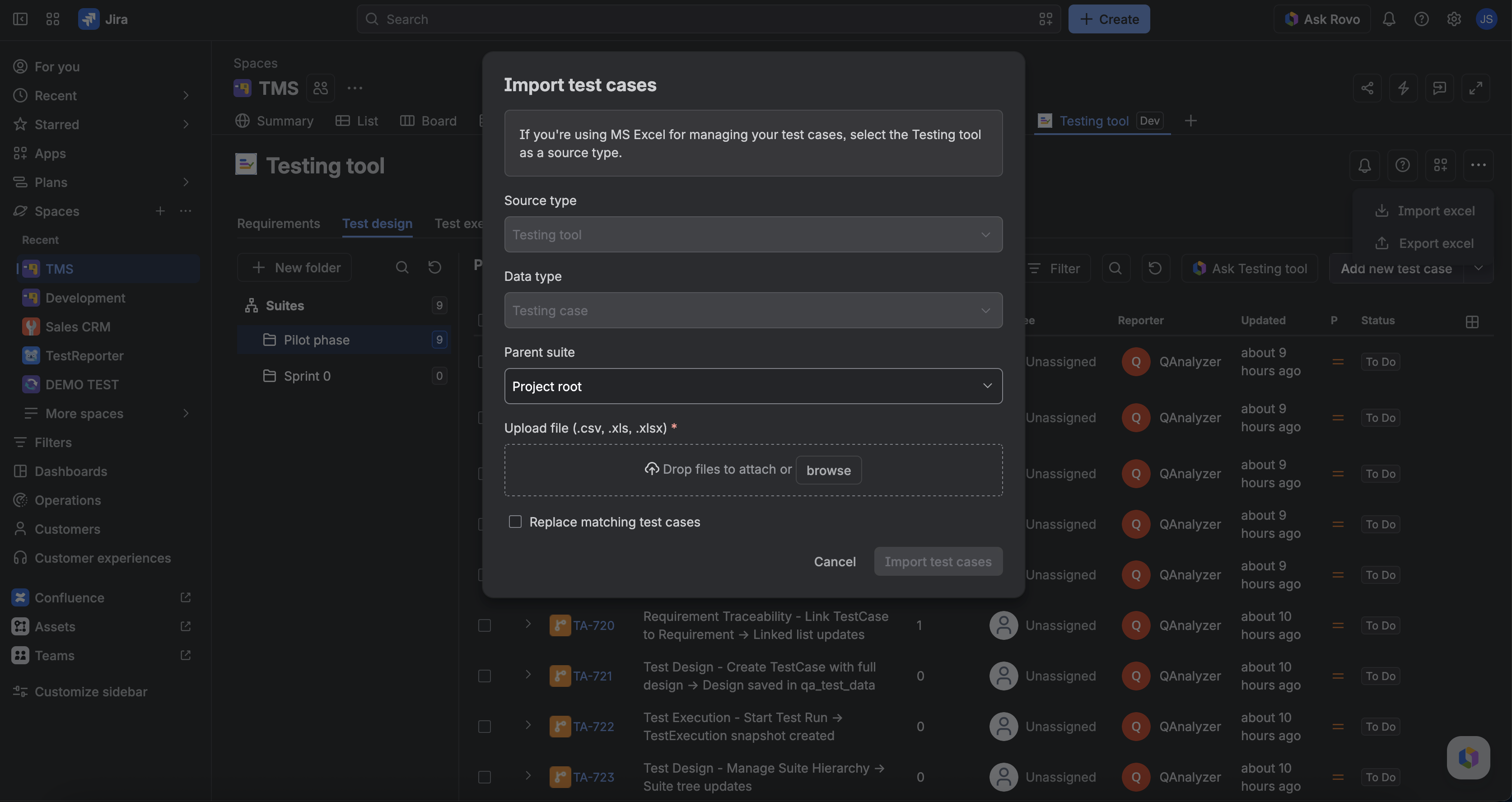
Limits: import up to 50 TestCases (rows) per request; decoded file max 2 MiB. Suite Path adds a link to the leaf suite and can create missing folders. It does not unlink or move in this version.
Rules that surprise people
- Excel-created cases get sheet Labels only — no auto
qanalyzer/excel-importlabels. - If a TestCase is CI-owned (
qa_link_source=auto), import skips summary update but can still update design; you get a warning. - Step attachments do not round-trip in the spreadsheet.
FAQ
Did import delete a case I omitted from the file?
No. Unrelated TestCases are left alone. Suite link is additive.
Can Testing tool import Excel?
No. Use the Test design Import control. The agent drafts and writes one confirmed case at a time.