Design a TestCase
A TestCase holds the design: summary, preconditions, postconditions, and steps (action, optional data, expected result). You edit that design in Test design or on the TestCase issue panel — not in Test Pad.
Viewing design does not write anything. Saving steps updates the TestCase only. It does not change past TestExecution snapshots.
Open Test design
- Open Testing tool → Test design.
- Select a suite, or work from My test cases.
- Create a TestCase or open an existing one. Cases you create in the UI or Excel start as Manual.
- Fill Preconditions, Postconditions, and steps. Each step has an action, optional data, and an expected result (attachments on expected result are supported).
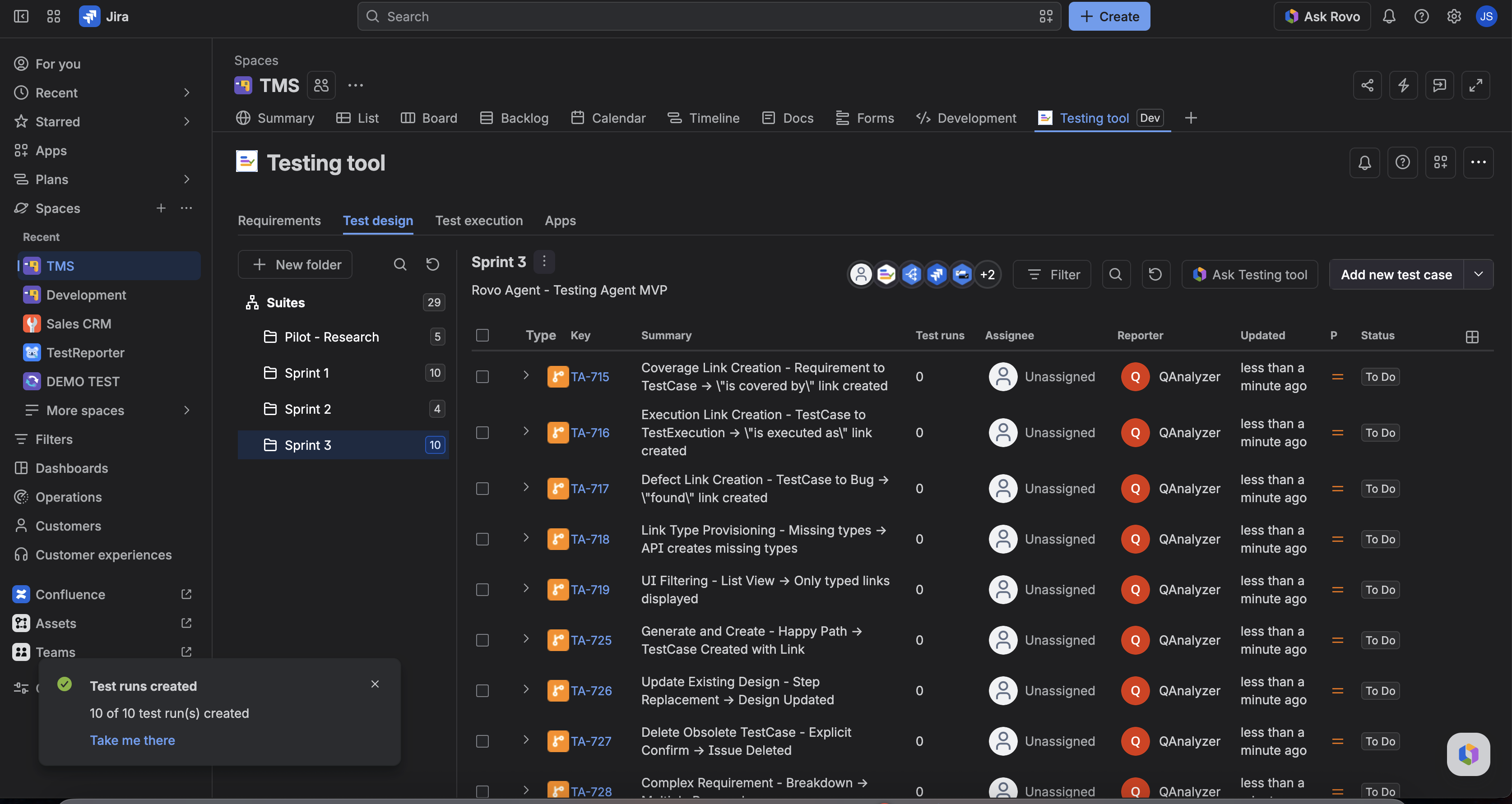
The cases table shows a Test type column (Manual / Automated). Empty design shows placeholders — that is fine until you add steps.
Automated TestCases are view-only for design and steps (CI owns them). Switch Test type to Manual on the TestCase panel if you need to edit, or leave Automated cases to ingest.
From a TestCase issue
On the TestCase issue, the Test design panel Details tab shows the same design. The Test design button jumps to this project view focused on that issue key — it does not create a new case. Use the header Test type control to set Manual or Automated.
Fill steps with Testing tool
- Test design toolbar: Ask Rovo
- TestCase panel: Fill steps with Rovo (Manual only; same agent)
The agent proposes steps, then waits for you to confirm update (or create if this is a new case). See Find and open Testing tool.
Design vs a run
| Surface | What you edit |
|---|---|
| TestCase / Test design | Design (source of truth for new runs) |
| TestExecution / Test Pad | Snapshot for that launch only |
A new launch clones design onto a new TestExecution. Re-syncing the same launch reuses that TestExecution and does not re-clone (your in-progress actuals stay).
FAQ
Why did my run not pick up the new step I just added?
That run already has a snapshot. Start a new launch after you change design.
Can I record pass/fail here?
No. Use Test Pad or the TestExecution (Manual). This page is design only.
Why can’t I edit this case?
Test type is Automated. Design is locked; use CI/CD builds on the issue for ingest history, or switch to Manual.